
Common Google Business Profile Mistakes and How to Avoid Them
If you own a local business, your Google Business Profile can be one of the most powerful tools for attracting […]
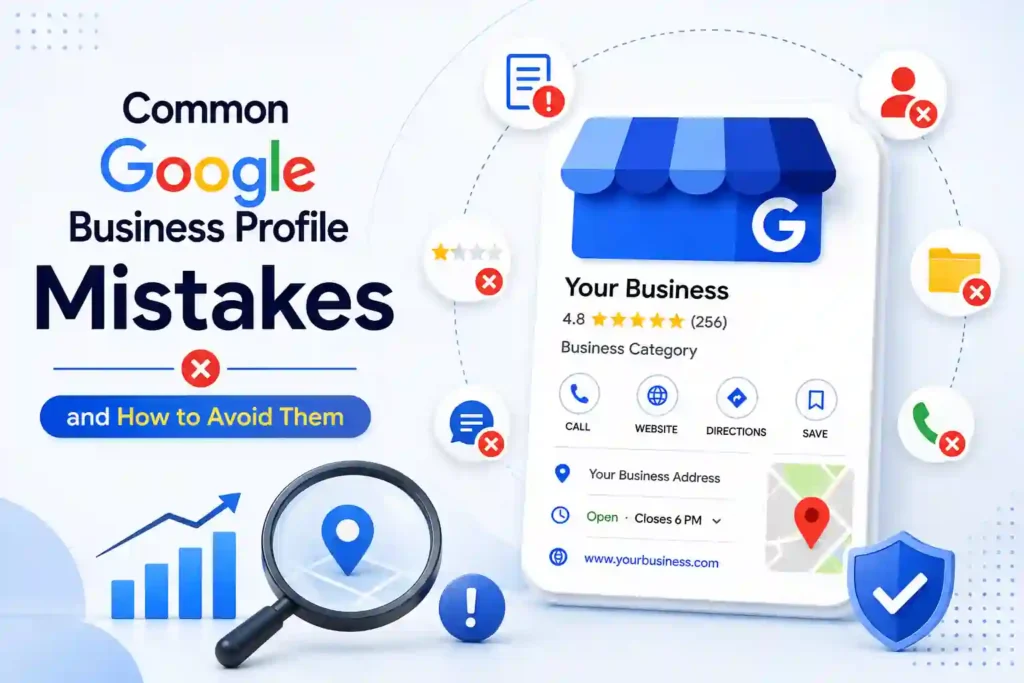
If you own a local business, your Google Business Profile can be one of the most powerful tools for attracting new customers. When people search for services or businesses near them, Google often displays local business listings directly in search results and Google Maps.
However, simply creating a Google Business Profile is not enough. Many businesses make mistakes that reduce their visibility, hurt customer trust, or prevent them from appearing prominently in local search results.
From incomplete business information to choosing the wrong category, ignoring customer reviews, or using low-quality images, small mistakes can have a significant impact on your local SEO performance.
In this guide, we will discuss the most common Google Business Profile mistakes and explain how you can avoid them to improve your online visibility and attract more potential customers.
1. Leaving Your Google Business Profile Incomplete
One of the biggest mistakes businesses make is creating a Google Business Profile and leaving important information incomplete.
Your profile should provide potential customers with everything they need to understand your business and contact you. Missing information can make your business look less trustworthy and may cause customers to choose a competitor instead.
Make sure your profile includes:
Accurate business name
Correct business category
Business description
Phone number
Website URL
Business address or service area
Opening hours
Products or services
High-quality business photos
Always review your profile regularly to make sure the information remains accurate.
2. Using an Incorrect Business Name
Your business name should match your real-world business name.
A common mistake is adding unnecessary keywords, locations, or promotional phrases to the business name in an attempt to rank higher in Google search results.
For example, if your actual business name is:
Techline Savvy
Avoid using a name like:
Techline Savvy – Best Digital Marketing, SEO and Website Design Company
Adding unnecessary keywords to your business name can create inconsistencies and may cause problems with your profile.
Use your real business name consistently across your website, social media profiles, business directories, and Google Business Profile.
3. Choosing the Wrong Business Category
Your primary business category is one of the most important parts of your Google Business Profile.
The category helps Google understand what your business does and when your business should appear in relevant local searches.
For example, a company that provides digital marketing services should choose a category that accurately represents its primary service instead of selecting unrelated categories.
Many businesses either choose a category that is too broad or select multiple irrelevant categories.
The best approach is to:
Choose the category that most accurately describes your main business
Add relevant secondary categories when appropriate
Avoid adding categories for services you do not actually provide
Selecting the right category helps improve the relevance of your profile for potential customers.
4. Using Different Contact Information Everywhere
Consistency is important for local SEO.
Your business name, address, and phone number should be accurate and consistent across your website and other online platforms.
For example, if your website displays one phone number but your Google Business Profile displays another, customers may become confused.
The same applies to:
Business name
Address
Phone number
Website URL
Opening hours
Before publishing your Google Business Profile, check your website and important online listings to make sure your business information is consistent.
5. Ignoring Customer Reviews
Reviews play an important role in building trust with potential customers.
Many businesses make the mistake of receiving reviews but never responding to them. This can make customers feel ignored and may create a poor impression of the business.
Try to respond professionally to both positive and negative reviews.
For a positive review, thank the customer and show appreciation.
For a negative review, remain calm and professional. Avoid arguing with the customer publicly. Instead, acknowledge their concern and offer to resolve the issue.
For example:
“Thank you for sharing your feedback. We are sorry to hear that your experience did not meet your expectations. Please contact us directly so we can understand the issue and work toward a solution.”
Professional responses demonstrate that your business values customer feedback.
6. Asking for Fake Reviews
Some businesses attempt to improve their reputation by purchasing fake reviews or asking people who were not genuine customers to leave reviews.
This is a risky strategy.
Fake reviews can damage your business reputation and create trust issues. Instead of focusing on shortcuts, create a simple process for requesting reviews from real customers.
You can ask satisfied customers to share their experience after completing a service or purchase.
A good review strategy should focus on:
Providing excellent customer service
Asking genuine customers for feedback
Making the review process simple
Responding professionally to reviews
Authentic reviews are more valuable because they help potential customers make informed decisions.
7. Not Adding High-Quality Photos
Photos can significantly improve the appearance of your Google Business Profile.
Many business owners either upload no photos or use poor-quality, outdated images.
Depending on your business, you can add photos of:
Your office or business location
Team members
Products
Completed projects
Services
Equipment
Before and after results
Your business logo
High-quality and authentic images can help customers understand your business and build more trust.
Avoid using too many generic stock photos when real images of your business are available.
8. Forgetting to Update Business Hours
Incorrect business hours can lead to frustrated customers.
Imagine a customer visits your business because Google shows that you are open, only to discover that the business is closed.
Make sure your regular business hours are correct. You should also update special hours for:
Public holidays
Religious holidays
Temporary closures
Special events
Seasonal schedules
Review your opening hours regularly, especially during holidays.
9. Ignoring the Services and Products Section
Many businesses focus only on their basic contact information and ignore the services or products section.
This is a missed opportunity.
Clearly listing your main services helps customers understand what your business offers.
For example, a digital marketing agency could list services such as:
Search Engine Optimization
Google Ads Management
Website Design
Social Media Marketing
Google Business Profile Optimization
Lead Generation
Each service should have a clear name and helpful description.
Avoid stuffing the descriptions with unnecessary keywords. Write naturally and focus on explaining how the service helps customers.
10. Creating Duplicate Google Business Profiles
Creating multiple profiles for the same business location can cause confusion.
Duplicate listings may result in inconsistent business information, split customer reviews, and difficulty managing your online presence.
Before creating a new Google Business Profile, search Google and Google Maps to check whether your business already has a listing.
If a duplicate profile exists, avoid creating another one unnecessarily. Instead, work on managing, claiming, or correcting the existing listing where appropriate.
11. Neglecting Your Google Business Profile After Verification
Another common mistake is thinking that the work is finished once the profile is verified.
Your Google Business Profile should be actively maintained.
Business information can change over time. You may introduce new services, change your phone number, update your website, or adjust your business hours.
Make it a habit to review your profile regularly.
You should check:
Contact information
Opening hours
Customer reviews
Photos
Services
Products
Business description
An updated profile gives customers more accurate information and helps maintain a professional online presence.
12. Using Keyword Stuffing in Your Profile
Keywords are important for SEO, but using too many keywords can make your business information look unnatural.
For example, avoid descriptions like:
“Best SEO company, affordable SEO company, top SEO agency, professional SEO company near me.”
Instead, write naturally:
“Techline Savvy provides SEO, website design, digital marketing, and online advertising services to help businesses improve their online presence and generate more leads.”
Your business information should be written for real customers first.
Use relevant keywords naturally in your business description, services, and website content without repeating them excessively.
13. Not Linking Your Website to Your Google Business Profile
Your Google Business Profile and website should work together.
Adding your website URL allows potential customers to learn more about your business, services, pricing, portfolio, and contact options.
Your website should also contain clear and consistent business information.
For better results, create dedicated service pages for your important services. For example:
SEO Services
Google Ads Services
Website Design Services
Digital Marketing Services
Social Media Marketing Services
Google Business Profile Optimization
A well-optimized website combined with an accurate Google Business Profile can strengthen your overall online presence.
14. Not Monitoring Customer Questions
Potential customers may ask questions about your business before contacting you.
Ignoring these questions can result in missed opportunities.
Monitor your business profile regularly and provide clear, helpful answers where appropriate.
Common questions may include:
What services do you provide?
What are your business hours?
Do you offer services in my area?
How can I get a quote?
Do I need an appointment?
Providing helpful information makes it easier for potential customers to take the next step.
15. Not Tracking Your Results
Many businesses optimize their profile but never measure whether their efforts are working.
You should monitor important performance indicators to understand how people interact with your business.
Depending on the available insights and your tracking setup, you may want to monitor:
Profile views
Website visits
Phone calls
Direction requests
Customer engagement
Search visibility
Tracking results can help you identify which areas need improvement and which marketing activities are generating the best results.
Final Thoughts
A well-managed Google Business Profile can help your business build trust, improve local visibility, and make it easier for potential customers to contact you.
However, many businesses lose valuable opportunities because of simple mistakes such as incomplete information, incorrect categories, inconsistent contact details, ignored reviews, duplicate profiles, and outdated business hours.
The key is to treat your Google Business Profile as an important part of your digital marketing strategy rather than setting it up once and forgetting about it.
Keep your business information accurate, add high-quality photos, list your services clearly, encourage genuine customer reviews, and regularly monitor your profile.
By avoiding these common Google Business Profile mistakes, you can create a stronger online presence and give potential customers the information they need to choose your business.
Need Help Optimizing Your Google Business Profile?
Managing and optimizing a Google Business Profile requires time, consistency, and attention to detail. If you want help improving your business profile, local visibility, and overall online presence, Techline Savvy can help.
Our services can help businesses optimize their online presence through Google Business Profile management, SEO, website design, digital marketing, and paid advertising strategies.
Contact Techline Savvy today to optimize your Google Business Profile and build a stronger online presence for your business.